Tampilkan postingan dengan label Tool Handphone. Tampilkan semua postingan

Nokia Care Suite 5.0.2012.12.5.3

Diposting oleh fatih on Kamis, 29 Maret 2012

Download Free Nokia Care Suite 5.0.2012.12.5.3

Download Free Nokia Care Suite 5.0.2012.12.5.3
Nokia Care Suite 5.0.2012.12.5.3
Friska Flasher Blog


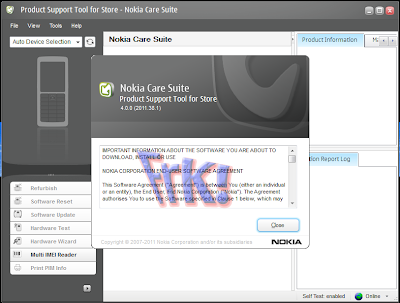
New version of the Nokia Care Suite Product Support Tool 5.0 is available. It provides support for the Nokia Windows Phones (Lumia) and the latest S40 series devices. Installation package and latest version of User Guide Document are attached.

This new version of the Nokia Care Suite PST does not replace the Nokia Care Suite 4.0 (v.2011.50.2), but adds support for the new products and their features when installed on the same PC.

Note : Uninstall previous version (2012.5.5) manually before installing this version

PST release 5.0 can be installed on the same PC with all current Nokia Service Software Applications, but simultaneous use with earlier PST version 4.0 is not possible

New features in the Care Suite 5.0

- Support for new products: RM-696, RM-724, RM-725, RM-802, RM-807, RM-810, RM-811, RM-827, RM-832, RM-833, RM-834, RM-835, RM-836, RM-849, RM-837, RM-871
- Full feature set enabled for RM-761, RM-763, RM781, RM-799, RM-800, RM-813, RM-807,
- Multi SW Updater is enabled.(It is not enabled for all devices.) The recommendation is to use it with up to five devices that are the same model and start the refurbish to every device simultaneously.
- CDMA Phone Info for Lumia CDMA devices is added.
- CDMA phone info added also to refurbish log.
- Recovery is enabled also for Nokia Lumia 800
- AT&T refurbish XML format is supported also in Multi SW Updater.
- Camera configuration for RM-724, RM-725 is added.
- FiRe online functionality is enabled
- Life Timer display for Lumia devices is supported

Changes & Error corrections from previous version

PC must be on-line in a sense that at least Ethernet connection with internal network or other PC needs to be configured and working.Internet connection is not required.
Driver installation for Fuse drivers takes very long time so windows automatic driver installation is recommended to be disabled.
Go to: Control Panel -> System -> Advanced System Settings -> Hardware -> Device Installation Settings-> Never install driver software from Windows Update.

The necessary functionality of NokiaUsbReqTool.zip is integrated into this release.
It is meant for resolving occasional Lumia refurbish failure on Windows XP machines.

The root cause of the refurbish failure is that device driver installation can’t be finished in time on XP.
Device gives timeout after 30 seconds. After driver installation has failed once, every retry will fail on the same port with the similar devices.With NokiaUsbReqTool.zip, serial number can be ignored with device PID. In practice it means that drivers will be installed only once per physical port.

When servicing Nokia Windows Phones / Lumia Series devices Microsoft Zune installation is not required anymore
Only the new Common Data Package Location (SR1315) is supported by default. If you need to use other Data Package Locations, they need to be added to the preferences manually
Do not use Care Suite 4.0 and 5.0 simultaneously. They can be installed on the same PC and launched from the Nokia Application Launcher but not run at the same time.
If it seems that all features are not available on the left hand side of the screen, please click the small arrow next to the list. More features will be shown. This may happen if your screen is not maximized.
Lumia / Windows phones will reboot when they are disconnected – please wait for the phone to restart
Installation of FUSE drivers may take a long time. Therefore it is recommended that the Windows Automatic Driver Installation is disabled from the Control panel. Please go to Windows Control Panel -> System ->Advanced System Settings ->Hardware ->Device Installation Settings and select “Never install driver software from Windows Update”
PC must be connected to network, meaning that Ethernet cable must be connected to PC and connection needs to be configured to work properly. PC must be able to connect to for example internal network, but it is not necessary that PC has an online connection to Internet.

Known errors & limitations

FLS-5 Drivers included in the installation package do not support 64-bit WIndows operating systems. Therefore Care Suite PST can not be used for servicing phones which use FLS-5 (USB_FBUS) connection.
Please do not use diacritical signs when selecting installation path for NCS, especially on Windows XP
Recovery or Refurbishment Flashing for Lumia Series Devices may fail on first atempt. Please try again, it works the second time around
Automatic Application Update has been disabled.
Pictures will disappear during Series 40 device SW Update. This is related to product specific data package configuration
Asha drivers don’t install when devices are connected via USB hub (on win7).
Hub works if user installs drivers first via straight USB connection.

Download Here

Nokia Care Suite 5.0.2012.12.5.3

Nokia Care Suite User Guide

Nokia USB Reg Tool
Read More

Nokia Care Suite 5.0.2012.5.5.5

Diposting oleh fatih on Minggu, 04 Maret 2012

Download Nokia Care Suite 5.0.2012.5.5.5


Download Nokia Care Suite 5.0.2012.5.5.5
Nokia Care Suite 5.0
Friska Flasher Blog

New features in the Care Suite 5.0
  • Support for new products: RM-808, RM-823
  • Full feature set enabled for RM-761, RM-762, RM-763, RM781, RM-799, RM-800, RM-813
  • Recovery instructions with device specific pictures added for RM-803, RM-809 and RM-817

Changes & Error corrections from previous version
  • Phone Information reading failure corrected for Lumia series devices
  • When servicing Nokia Windows Phones / Lumia Series devices Microsoft Zune installation is not required anymore
Please note:
  • Automatic Application Update is not supported
  • Multi SW Updater has been disabled
  • Uninstall previous version (2011.50.2) manually before installing this version
  • Online download functions have been disabled. Please use the Nokia Data Package Manager Tool (SR1774) for downloading product SW files from The Nokia FiRe
  • Only the new Common Data Package Location (SR1315) is supported by default. If you need to use other Data Package Locations, they need to be added to the preferences manually
  • Do not use Care Suite 4.0 and 5.0 simultaneously. They can be installed on the same PC and launched from the Nokia Application Launcher but not run at the same time.
  • If it seems that all features are not available on the left hand side of the screen, please click the small arrow next to the list. More features will be shown. This may happen if your screen is not maximized.
  • Lumia / Windows phones will reboot when they are disconnected – please wait for the phone to restart
  • Installation of FUSE drivers may take a long time. Therefore it is recommended that the Windows Automatic Driver Installation is disabled from the Control panel. Please go to Windows Control Panel -> System ->Advanced System Settings ->Hardware ->Device Installation Settings and select “Never install driver software from Windows Update”
  • PC must be connected to network, meaning that Ethernet cable must be connected to PC and connection needs to be cofigured to work properly. PC must be able to connect to for example internal network, but it is not necessary that PC has an online connection to Internet.

Instructions for installation & use
  • User guide document and elearning material for Care Suite are downloadable from Nokia Online (NOL). Please check the availability of documentation from your local NOL (www.nokiaonline.com)
  • Care Suite 5.0 can be installed on the PC with all current Service Software versions which use the FUSE connection manager, but not run simultaneously with Care Suite 4.0.
  • Before you start Phoenix or care Suite installation to Windows 7 the User Account Control (UAC) should be turned off from Windows Control Panel settings.
  • Please make sure that you have all the latest Windows updates installed.
  • Care Suite installation and use does not require that a dongle (PK-1, PKD-1 or FLS-5) is connected to PC. FLS-5 is only used for FBUS communication to phones which do not support direct USB connection


Known errors & limitations
  • Start Care Suite PST 5.0 first, then connect Lumia Series Devices. Do not start PST 5.0 with Lumia Devices already connected. This may result in device detection / phone information reading failure. If this happens, you need to change the device to a new USB port, device detection and information reading will fail if device is connected to the same connection.
  • FLS-5 Drivers included in the installation package do not support 64-bit WIndows operating systems. Therefore Care Suite PST can not be used for servicing phones which use FLS-5 (USB_FBUS) connection.
  • Please do not use diacritical signs when selecting installation path for NCS, especially on Windows XP
  • When performing “Recovery” to RM-763, Product Support Tool may crash after operation has been successfully completed. This will not harm the product if it can be started normally.
  • Recovery or Refurbishment Flashing for Lumia Series Devices may fail on first atempt. Please try again, it works the second time around
  • Multi IMEI Reader fails on a clean PC with new Operating System. Workaround: Connect a Nokia Device to PC and select “Mass Storage Mode” from device UI. Once the first connection in Mass Storage Mode works, problem will not occur anymore.
  • Multi SW Updater has been disabled
  • Automatic Application Update has been disabled
  • Pictures will disappear during Series 40 device SW Update. This is related to product specific data package configuration
  • Occasional Refurbishment failure may occur for Lumia series devices on PC´s running Windows XP operting system. This happens because the driver installation on Win XP takes linger than it should. When driver installation exceeds the 30 second timeout, Lumia device gioves a timeout. As a workarouns, please use the NokiaUsbRegTool.
Download NokiaUsbRegTool.ZIP to your PC
Exctact NokiaUsbRegTool.ZIP
Run NokiaUsbRegTool.exe
When Nokia USB Reg Tool UI opens:
Set “UI Device Type / Device PID” to 05EE (for Nokia OSBL)
In “Run Options” select “Enable SN ignoring”
Select “RUN”
Exit and reconnect Lumia device

 Download Here Nokia Care Suite 5.0


Download Here Care Suite User Guide


Download Here Nokia USB Reg Tool

Read More

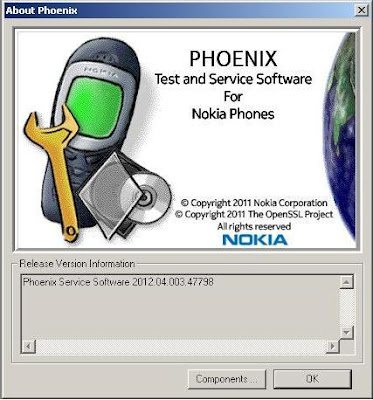
Phoenix Service Software 2012.04.003.47798

Diposting oleh fatih on Rabu, 22 Februari 2012

Download Phoenix Service Software 2012.04.003.47798 Original And Cracked

Download Phoenix Service Software 2012.04.003.47798 Original And Cracked
Phoenix Service Software 2012.04.003.47798
Friska Flasher Blog

Phoenix Service Software - is a utility software for flashing Nokia CDMA, GSM, TDMA, and WCDMA products.


Main component versions in the release:

• Product API 2012.2.2
• Nokia Connectivity Cable USB Driver Version 7.1.69.0
• Flash Update Package 2011.50
• FUSE Connection Manager v 2011.51

MAIN CHANGES & ERROR CORRECTIONS FROM PREVIOUS VERSION 2011.46.7.47652

Error Corrections & changes:

• New products: RM-852, RM-838, RM-843, RM-844, RM-787, RM-788, RM-789

Please note:

Energy Management Calibration should not be performed for products using the “Quantum” engine (RM-689, RM-702, RM-704 and other product using the same engine)

• Microsoft DOT.NET version 2 Service Pack 2 is now the minimum requirement. Phoenix installation will check PC for the DOT.NET version and update it automatically when PC has online connection. Without online connection, old DOT.NET versions must be updated manually.
• New common data package location in use. Please see document SR1315 in KICS Information Center for further information.
• All Nokia Service Software Applications will use following location for product specific data:
- Windows XP: C:\Documents and Settings\All Users\Application Data\Nokia\Packages
- Windows 7: C:\Program Data\Nokia\Packages
Please see articles SR1774 for more information on the use of Nokia Data Package manager – tool, and article SR1854 for more information on the Nokia Service Application Manager Tool.
• During installation, Data Packages should be installed in these directories, if they install to any other location by default. target folder for local data packages can be changed in the installation wizard manually
• This version contains the latest Tucson components. Therefore it is not necessary to use Tucson Add-On Installation Packages
• Before you start Phoenix or Care Suite installation to Windows 7 the User Account Control (UAC) should be turned off from Windows Control Panel settings.
• For more information concerning new options in “Firmware Update” – menu and their use, Please see documents SR1313 and SR1659 in KICS Information Center.
• Tucson operations combined with “flash” – option are now handled in the same way as “refurbishment”, which requires Mass Memory Content File to be available.
• Use of Flash option simultaneously with product code change for USB Only phones is restricted. It is recommended to flash phone separately with Firmware Update. Please refer to product specific instructions.
• Connection media to FLS-5 must be configured to be “USB_FBUS”, after FLS-4 support has been removed FBUS does not work anymore with FLS-5

KNOWN ERRORS & LIMITATIONS

• FLS-5 drivers do not support 64 bit OS, so phones using FLS-5 /USB_FBUS connection can not be serviced in 64 bit operating systems
• Software downgrade with Tucson system is only possible for BB 5.0 products supporting the Data Package 2 concept.
• Flashing with setup FLS-5, SS-46 and product specific adapter is not supported anymore. FLS-5 can be used with other product specific cables and adapters, but not with SS-46 Interface Adapter.
• If you install old DCT-4 data packages, Flash Update Package File installation path may be wrong. This is caused by very old DCT-4 data packages which contain Flash Update Package and overwrite current information during installation. If you experience problems when updating FPS-x prommers, please check that Phoenix “Prommer maintenance” is looking for the files from the correct location which is “C:\Program Files\Common Files\Nokia\Tss\Flash”. If not, Phoenix will show error “Update via ini – file failed”. In this case, select “Update” from that Phoenix “Prommer maintenance” – UI, browse to correct directory and select “fpsxupd.ini” for all other prommers except the FPS-8.
• FPS-21 flashing for RX-51 works only with TCPIP connection. FPS-21 prommer with new HW version 11 has been released to correct this. Sales pack code is 0089J83 , old HW version is not delivered anymore
• Please refer to product specific documents and instructions concerning the limitations of the RX-51 product
• When version 2010_12_8_42304 or newer with FUSE connection manager is installed on top of older Phoenix versions, there may be an additional delay of several minutes when you start Phoenix for the first time. Please wait patiently; Phoenix will start after configuration is finished.
• When using Data Package download functions with online connection, download times may occasionally be long. This is not caused by Phoenix (or Care Suite). The download speed from online servers is occasionally is known to be slow, depending on how data is buffered on caching servers.
• After you close Phoenix, it may not restart. To rectify this:
- Use Windows Task Manager to manually shut down phoenix.exe and FuseService.exe processes, or optionally restart your PC
• It is not possible to program Mass Media Content file to some devices over direct USB cable connection, due to the large size of the file. For these models a feature called “Media Check” has been implemented. When this type of product is connected to service software / PC via direct USB cable the refurbishment option will be disabled. Please use a flash prommer. Affected products using Media Check are: RM-122, RM-175, RM-176, RM-186, RM-246, RM-247, RM-296, RM-297, RM-320, RM-462, RM-472, RM-484, RM-505, RM-555, RM-559
• To be able to use the help files in Windows 7 you need to install Windows Help program (WinHlp32.exe) for Windows 7. Ways to locate WinHlp32.exe:
- Start Phoenix with online connection to Internet, select “Help” and “Phoenix help”. Click the “Microsoft Help and Support” website link. Download WinHlp32 and install it.- Go to http://www.microsoft.com. Type “WinHlp32″ to “Search Microsoft.com” – field. Locate Windows Help program (WinHlp32.exe) for Windows 7 and install it
• When using flash prommers, only one connection type to one prommer is allowed. Please use either NFPD USB or NFPD TCPIP connection to one prommer, not both connections to same prommer

Supported operating systems and user rights

• Windows XP Service Pack 1 or higher
• When installing Phoenix into Win XP you must have local admin rights.
• When using in Win XP, user must have power user rights.
• Windows 7 32 Bit version
• Windows 7 64 Bit version (Please note that FLS-5 drivers do not support Win 7 64 bit OS, therefore FLS-5 can not be used in this operating system)

Download Phoenix Service Software 2012.04.003.47798 Original

Download Phoenix Service Software 2012.04.003.47798 Cracked

Download FLS_2.09.08

Read More

NaviFirm + 1.7

Diposting oleh fatih on Rabu, 15 Februari 2012

Download NaviFirm Plus 1.7


NaviFirm+ is a modded version of the NAVIFIRM tool developed by EPICBIZNUS, I made the additional improvements documented in the Change-Log.
Below follows a brief description of the NAVIFIRM tool.

NAVIFIRM is the ultimate all-purpose tool for downloading Nokia firmware images, obtaining lists of product codes, and finding the right product code for your phone. NAVIFIRM downloads all this straight from Nokia's servers so you don't have to wait for people to post data packages and lists of product codes.

NAVIFIRM is useful for just about anyone:
End users: Find product codes to use with NSS/NSU
Journalists: Be the first to know when new firmware hits NSU
Developers: Download ROM images for extracting files
Care Suite/Phoenix/box users: Download ROM images to flash Additional NSU servers can be added by editing Main.cs in the source code.
NOTE: The main developer for this software is EPICBIZNUS, I have made the additional improvements which have been documented in the Change-Log.
This software is provided "as is" with no warranty whatsoever, express or implied and moreover, WITHOUT any technical support, so, DO NOT contact me about this, because you WILL NOT receive any reply.

If you don't know how to install, or how to use it, probably you don't need NaviFirm at all.

Download NaviFirm + 1.7
NaviFirm + 1.7
Friska Flasher Blog


Change-Log:


- New: Ported to .NET Framework 4.0
- New: Shows additional Product informations in the tooltip, including phone's image.
Note that the tooltip is disabled by default, if you want to enable it, you must change the NaviFirmPlus.Config file in this way:


Download NaviFirm + 1.7


Read More

sn0wbreeze v2.9 Support untethered 5.0.1 Release

Diposting oleh fatih on Rabu, 18 Januari 2012

Download sn0wbreeze v2.9 Support untethered 5.0.1

Download sn0wbreeze v2.9 Support untethered 5.0.1


Features and improvements

Brought back old firmware support in one release!
GUI Improvements
You can now build IPSWs with TinyUmbrella/iFaith blobs!
Removes OTA Updates/badge on iOS 5.x.x+ devices.
Added an IPSW Downloader
Built-in iREB functionality updated from newest iREB r5 module.
Custom Packages in Expert actually works now.
All supported firmwares in this release are untethered.
A5 devices are NOT supported at this time due to no public DFU/iBoot exploit.


Sn0wbreeze 2.9 supports the following iOS software updates:

iOS 3.1.3
iOS 3.2.x
iOS 4.0.x
iOS 4.1
iOS 4.2.1 – 4.2.8


Read More

Redsn0w 0.9.10b4 Release

Diposting oleh fatih on Senin, 16 Januari 2012

Download Redsn0w 0.9.10b4

Download free Redsn0w 0.9.10b4

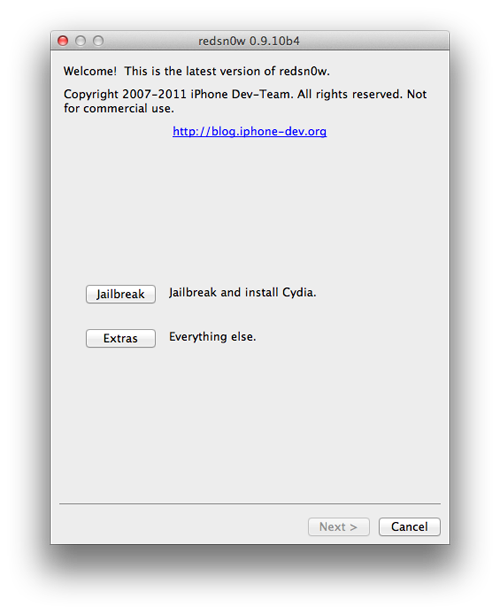
Newest Redsnow is Redsn0w 0.9.10 b4!

“1.0.5 Corona update is now live in Cydia which resolves the iBooks issue, along with the launchd socket issue. An initial update to version 1.0.4 briefly went live in Cydia, before Saurik added a force reboot on upgrade and pushed a new version taking Corona to the current 1.0.5 release.
If you have Corona installed as part of your untethered iOS 5.0.1 experience, then head over to Cydia now and simply upgrade to the latest version to fix iBooks and other bugs…”
“MuscleNerd of iPhone Dev-Team has just updated Redsn0w for both Windows and Mac to version 0.9.10b4 which incorporates the above fix for both iBooks and launched. The fix can be installed by simply re-running (uncheck Cydia option) this new version of Redsn0w over the existing jailbreak.”

Redsnow 0.9.10 b4 Works with such iDevices:
iPhone 3GS
iPhone 4
iPhone 4-CDMA
iPad 1
iPod Touch
iPod Touch 3G

Download From Here:
Download Redsn0w 0.9.10b4


Read More

Navifirm Plus 1.6

Diposting oleh fatih on Selasa, 10 Januari 2012

Download Navifirm + 1.6

NaviFirm+ is a modded version of the NAVIFIRM tool developed by EPICBIZNUS, I made the additional improvements documented in the Change-Log.
Below follows a brief description of the NAVIFIRM tool.

NAVIFIRM is the ultimate all-purpose tool for downloading Nokia firmware images, obtaining lists of product codes, and finding the right product code for your phone. NAVIFIRM downloads all this straight from Nokia's servers so you don't have to wait for people to post data packages and lists of product codes.

NAVIFIRM is useful for just about anyone:
End users: Find product codes to use with NSS/NSU
Journalists: Be the first to know when new firmware hits NSU
Developers: Download ROM images for extracting files
Care Suite/Phoenix/box users: Download ROM images to flash Additional NSU servers can be added by editing Main.cs in the source code.
NOTE: The main developer for this software is EPICBIZNUS, I have made the additional improvements which have been documented in the Change-Log.
This software is provided "as is" with no warranty whatsoever, express or implied and moreover, WITHOUT any technical support, so, DO NOT contact me about this, because you WILL NOT receive any reply.

If you don't know how to install, or how to use it, probably you don't need NaviFirm at all.

Download free Navifirm + 1.6


NaviFirm+ 1.6 Change-Log:
- New: added notifications about the current connection status and the amount of trasferred bytes
- Improved: .vpl file is now handled without showing any window (you can disable the .vpl parsing changing the NaviFirmPlus.exe.config)
- Improved: better data transfer speed
- Improved: connection engine has been rewritten
- Improved: minor changes to the status bar
- Fixed: crash when double-click on "Size" column
- Fixed: sorting on the "Size" column was not working proprerly


Download Here


Source: Symbian-Toys.com

Read More

Android PC Suite 1.7.13.270

Diposting oleh fatih on Minggu, 08 Januari 2012

Download Android PC Suite 1.7.13.270


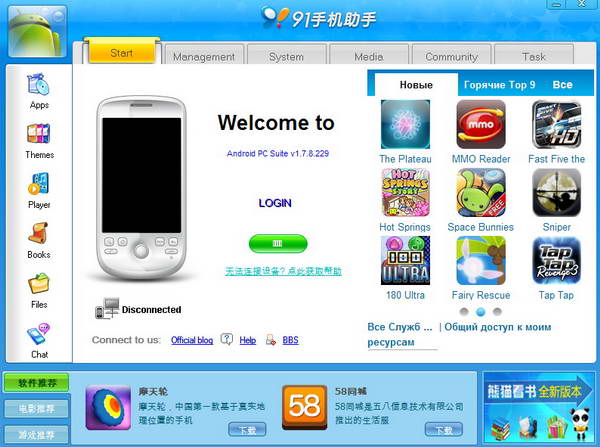
Android PC Suite - has been developed by the Pandaap team to provide all the Android users a free and very good alternative to other Android applications. It fully supports all the phones running with Android OS. Main features include:
- Windows XP/Vista/Win7 64 OS support
- Import/Export contacts
- Back up call logs/SMS
- Download wallpapers, ringtones, themes and software
- Convenient and practical RSS subscription
- Log off and Reboot
- Good UI performance
- Phone process and system registry management
- Software installation, uninstallation and management
- Calendar and schedule management
- Caller location inquiry

Download Android PC Suite 1.7.13.270


Download Here

Read More

Phoenix Service Software 2011.46.2.47246

Diposting oleh fatih on Rabu, 28 Desember 2011

Download Phoenix Service Software 2011.46.2.47246 Cracked

Download free all Phoenix Service Software 2011.46.2.47246 Cracked


Phoenix Service Software - is a utility software for flashing Nokia CDMA, GSM, TDMA, and WCDMA products.

The main release of this version includes:
- DK2 Driver Version 07.14.0.25
- Nokia Connectivity Cable USB Driver Version 2011.48
- Flash Update Package 2011.40.000
- FLS-x Drivers Version 2.09.28
- FUSE Connection Manager v 2011.43.1

MAIN CHANGES & ERROR CORRECTIONS FROM PREVIOUS VERSION 2011.38.3.46817
New Products added
- RM-806, RM-813, RM-839

New features
- New version of FUSE connection Manager
- New version of Flash Update Package
- New version of Product API
- New version of Connectivity Cable Driver

Error Corrections & changes
- Improvements to flash components, reducing the flashing time for
USB Only concept devices (Genius Case#183882: Phoenix: N8 -
unusual phone behaviour during flashing)

Note:
Modern methods for software updates in Phoenix right now are the same as in Nokia Care Suite:
- Refurbish: The software will update the selected files. The data will be deleted. At the same time without fail be installed on the computer files of firmware, otherwise the process will be completed by the firmware.
- Update Software: Software Update. The data will be stored.
- Reset Software: Software Updates and reset to factory settings. Some customer data may be lost.

• New interface multiflash click SW Reset and Restore User Product renamed Update SW
• New management interface GPS, rany interface test can still be found under "Quick Test"
• Support for Windows 7 32-bit (64 bit versions are not supported)

Please Notes:
Energy Management Calibration should not be performed for products using the "Quantum" engine (RM-689, RM-702, RM704 and other product using the same engine)

- Microsoft DOT.NET version 2 Service Pack 2 is now the minimum requirement. Phoenix installation will check PC for the DOT.NET version and update it automatically when PC has online connection. Without online connection, old DOT.NET versions must be updated manually.
- New common data package location in use. Please see document SR1315 in KICS Information Center for further information.
- All Nokia Service Software Applications will use following location for product specific data:


 The main release of this version includes:
- Windows XP: C:\Documents and Settings\All Users\Application Data\Nokia\Packages
- Windows 7: C:\Program Data\Nokia\Packages
- Please see articles SR1774 and 1786 for more information on the use of Nokia Data Package manager - tool, and article SR1854 for more information on the Nokia Service Application Manager Tool.
- During installation, Data Packages should be installed in these directories, if they install to any other location by default. target folder for local data packages can be changed in the installation wizard manually
- This version contains the latest Tucson components. Therefore it is not necessary to use Tucson Add-On Installation Packages
- Before you start Phoenix or Care Suite installation to Windows 7 the User Account Control (UAC) should be turned off from Windows Control Panel settings.
- For more information concerning new options in "Firmware Update" - menu and their use, Please see documents SR1313 and SR1659 in KICS Information Center.
- Tucson operations combined with "flash" - option are now handled in the same way as "refurbishment", which requires Mass Memory Content File to be available.
- Use of Flash option simultaneously with product code change for USB Only phones is restricted. It is recommended to flash phone separately with Firmware Update. Please refer to product specific instructions.
- Connection media to FLS-5 must be configured to be "USB_FBUS", after FLS-4 support has been removed FBUS does not work anymore with FLS-5


Knows Errors and Limitations
- FLS-5 drivers do not support 64 bit OS, so phones using FLS-5/USB_FBUS connection can not be serviced in 64 bit operating systems
- Software downgrade with Tucson system is only possible for BB 5.0 products supporting the Data Package 2 concept.
- Flashing with setup FLS-5, SS-46 and product specific adapter is not supported anymore. FLS-5 can be used with other product specific cables and adapters, but not with SS-46 Interface Adapter.
- If you install old DCT-4 data packages, Flash Update Package Fileinstallation path may be wrong. This is caused by very old DCT-4 data packages which contain Flash Update Package and overwrite current information during installation. If you experience problems when updating FPS-x prommers, please check that Phoenix
“Prommer maintenance” is looking for the files from the correct location which is “C:\Program Files\Common Files\Nokia\Tss\Flash”. If not, Phoenix will show error “Update via ini - file failed”. In this case, select “Update” from that Phoenix “Prommer maintenance” - UI, browse to correct directory and select “fpsxupd.ini” for all other prommers except the FPS-8.
- Refurbishment flashing and product code change for RX-51 product requires SX-4 card to be available.
- FPS-21 flashing for RX-51 works only with TCPIP connection. FPS-21 prommer with new HW version 11 has been released to correct this. Sales pack code is 0089J83 , old HW version is not delivered anymore
- Please refer to product specific documents and instructions concerning the limitations of the RX-51 product
- RX-51 flashing does not work when CU-4 is used
- RX-51 Product Code changes work only without FLASH option, please flash phone separately
-When version 2010_12_8_42304 or newer with FUSE connection manager is installed on top of older Phoenix versions, there may be an additional delay of several minutes when you start Phoenix for the first time. Please wait patiently; Phoenix will start after configuration is finished.
- When using Data Package download functions with online connection, download times may occasionally be long. This is not caused by Phoenix (or Care Suite). The download speed from online servers is occasionally is known to be slow, depending on how data is buffered on caching servers.
- After you close Phoenix, it may not restart. To rectify this:
- Use Windows Task Manager to manually shut down phoenix.exe and FuseService.exe processes, or optionally restart your PC
- It is not possible to program Mass Media Content file to some devices over direct USB cable connection, due to the large size of the file. For these models a feature called “Media Check” has been implemented. When this type of product is connected to service software / PC via direct USB cable the refurbishment option
will be disabled. Please use a flash prommer. Affected products using Media Check are: RM-122, RM-175, RM-176, RM-186, RM-246, RM-247, RM-296, RM-297, RM-320, RM-462, RM-472, RM-484, RM-505, RM-555, RM-559
- To be able to use the help files in Windows 7 you need to install Windows Help program (WinHlp32.exe) for Windows 7. Ways to locate WinHlp32.exe:
- Start Phoenix with online connection to Internet, select "Help" and "Phoenix help". Click the "Microsoft Help and Support" website link. Download WinHlp32 and install it.- Go to . Type "WinHlp32" to "Search Microsoft.com" - field. Locate Windows Help program (WinHlp32.exe) for Windows 7 and install it
- When using flash prommers, only one connection type to one prommer is allowed. Please use either NFPD USB or NFPD TCPIP connection to one prommer, not both connections to same prommer

Supported operating systems and user rights
- Windows XP Service Pack 1 or higher
- When installing Phoenix into Win XP you must have local admin rights.
- When using in Win XP, user must have power user rights.
- Windows 7 32 Bit version
- Windows 7 64 Bit version (Please note that FLS-5 drivers do not support Win 7 64 bit OS, therefore FLS-5 can not be used in this operating system)


Download From Here

Read More

RSD LITE 5.6

Diposting oleh fatih on Rabu, 07 Desember 2011

Download RSD LITE 5.6


Download Here


Read More

Download MFI Multi Loader Software

Diposting oleh fatih on Selasa, 06 Desember 2011

Download MML / MFI Multi Loader Software

Sebenarnya tool / program ini sudah lama tapi masih banyak yang belum mempunyai untuk melengkapi isi blog ini baiklah saya coba berbagi link downloadnya


1. Download dulu MML Setup Exe MML 2.0.1.3.rar
2. Kemudian Download file2 kelengkapan MML :

* MML.part01.rar
* MML.part02.rar
* MML.part03.rar
* MML.part04.rar
* MML.part05.rar
* MML.part06.rar
* MML.part07.rar
* MML.part08.rar


Proses pengistallan tool ini ikutin cara berikut:

1. Untuk MML 2.0.1.3.rar silahkan extract lalu install
2. Untuk MML Dari part01 s/d part08 diextract dulu dengan nama folder MML, lalu folder MML beserta isinya di copykan ke drive c:\
3. Download file ini berikut Configuration.rar 
Kemudian extract copy dan replace ke folder C:\MML\Configuration\

4. Setelah melakukan sampai dengan point 3, download file berikut register_ulang_MML.rar 
Kemudian extract disana anda akan mendapatkan 2 file yg bernama BbDevMgr & register_MMLedit_drcom
lakukan langkah ini :

* Untuk BbDevMgr silahkan copy lalu pastekan ke folder C:\Program Files\Common Files\Research In Motion\USB Drivers\ (folder ini muncul otomatis setelah anda install DM)
* Untuk register_MMLedit_drcom cukup anda klik 2 kali saja (double clik).

5. Untuk penggunaan fungsi lainnya setelah konek silahkan tekan "Shift+Ctrl+Alt+F12" secara bersamaan.

6. Semoga bermanfaat

Untuk tutorial penggunaan tool ini dilain waktu akan saya share.

Read More

Nokia Care Suite For Store 2011.38.1

Diposting oleh fatih on Senin, 21 November 2011

Download Nokia Care Suite For Store 2011.38.1

Description:
Care Suite (CS) is a Multi-protocol software who support latest nokia CDMA,GSM and WCDMA (333 models now covered)
It's a Free software (OpenSSL), relased by Nokia Care for stores.

ARE YOU LOOKING FOR THE BEST USB FLASHER ON THE MARKET?
YOU DON'T NEED TO PAY FOR THE BEST NOKIA FLASHER, BECAUSE THIS IS THE ORIGINAL AND IT'S FREE!!!!


Nokia Care Suite For Store


What the software can do?
- User Friendly GUI
- DEAD USB Recovery
- ADVANCED Self-Test
- Backup User Data
- ORIGINAL NOKIA USB FLASHER (more than 333 models covered)
- Supports MULTI-FLASH (2/3/4/8 phones flashed in the same time)
- Download the correct firmware from the Nokia Care Servers (Fast and Secure)
- Refurbish/Software Upgrade (without loosing data)/Soft Reset
- Work under Win XP/Vista/Seven x86 - x64
- May Support protocols F/M-Bus by using FLS-5 FPS-10/FPS-21 Interfaces


Download Here
 Password : genuine
Read More

Download sn0wbreeze v2.8b10

Diposting oleh fatih on Sabtu, 05 November 2011

Download Sn0wbreeze 2.8 b10 To Jailbreak iOS 5.0.1 Beta 2

Apple has released iOS 5.0.1 Beta 2 for developers. As such the well known hacker iH8sn0w has updated his tool and released sn0wbreeze 2.8b10 to jailbreak iOS 5.0.1 Beta 2 on all idevices but for iPhone 4S and iPad 2. Sn0wbreeze 2.8 b10 is untethered jailbreak for iPhone 3GS "old bootrom" and tethered jailbreak for all other iDevices. Download Snobreeze 2.8b10 from the link below after the jump.


sn0wbreeze 2.8b10

What's new on Sn0wbreeze 2.8b10 :


Supported Devices and Tethered

- iPhone 3GS (old bootrom)...NO
- iPhone 3GS (new bootrom)..YES
- iPhone 4 (GSM)............YES
- iPhone 4 (CDMA)...........YES
- iPod Touch 3G.............YES
- iPod Touch 4..............YES
- iPad 1G...................YES

iPhone 3GS iPad baseband (06.15.00) users:

- Re-flash the iPad baseband via sn0wbreeze
if you restore(d) to a stock 5.0 firmware.


Download sn0wbreeze v2.8b10
Read More

Download Redsn0w 0.9.9b8

Diposting oleh fatih on Kamis, 03 November 2011

Download Redsn0w 0.9.9b8 To Jailbreak 5.0.1 iPhone 4, 3GS, iPod

Redsn0w version 0.9.9b8 will natively recognize the 5.0.1 beta that Apple let developers start testing this week (so you don’t have to play the “point at 5.0 IPSW” trick).  Because the IPSW isn’t public, you’ll still need to provide it once to redsn0w (at which point it will cache all the important pieces so you don’t need to select it again).

redsn0w
 For those 3GS and i4 users who preserve their baseband, the Mac version can also produce the NO_BB_* custom IPSWs for 5.0.1.  (But please note that ultrasn0w doesn’t get updated for betas like this.)

This is still a tethered jailbreak for all except old-bootrom 3GS users.

Here are the download links:
Read More

Phoenix Service Software 2011.38.003.46817

Diposting oleh fatih

Download Phoenix Service Software 2011.38.003.46817 Cracked
phoenix service software


BULLETIN_CONTENT

1. CHANGE HISTORY
Version 1: 23.09.2011 Initial version
2. INTRODUCTION
New version of Phoenix service software is available. This multi-protocol service software supports Nokia CDMA, GSM, TDMA, and WCDMA products.


Main component versions in the release:
• DK2 Driver Version 07.14.0.25
• Nokia Connectivity Cable USB Driver Version 7.1.45.0
• Flash Update Package 2011.34.000
• FLS-x Drivers Version 2.09.28
• FUSE Connection Manager v 2011.34.1
3. MAIN CHANGES * ERROR CORRECTIONS FROM PREVIOUS VERSION 2011.24.2.46258
New Products added
• RM-814, RM-815, RM-816, RM-781, RM-832, RM-833, RM-834, RM-761, RM-762, RM-799, RM-800, RM-764, RM-778
New features
• New version of FUSE connection Manager
• New version of Flash Update Package
• New version of Autotuning components
• New version of Product API
• New version of Connectivity Cable Driver
• Support for Windows 7 64 bit version (Note: FLS- 5 drivers do not support 64 bit OS, so phones using FLS-5 /USB_FBUS connection can not be serviced in 64 bit operating systems)
• New installation package with MS Visual C++ 2010


Download Here 
  

from mirrorcreator 
Download Here
Read More

Android PC Suite V1.7.12.265

Diposting oleh fatih on Rabu, 02 November 2011

Download Android PC Suite V1.7.12.265


Android PC Suite - has been developed by the Pandaap team to provide all the Android users a free and very good alternative to other Android applications. It fully supports all the phones running with Android OS. Main features include:
- Windows XP/Vista/Win7 64 OS support
- Import/Export contacts
- Back up call logs/SMS
- Download wallpapers, ringtones, themes and software
- Convenient and practical RSS subscription
- Log off and Reboot
- Good UI performance
- Phone process and system registry management
- Software installation, uninstallation and management
- Calendar and schedule management
- Caller location inquiry


android pc suite


Download Here

deposit file
letitbit

Read More

NaviFirm Plus 1.5

Diposting oleh fatih on Jumat, 28 Oktober 2011

Download Navifirm + 1.5

NaviFirm+ is a modded version of the NAVIFIRM tool developed by EPICBIZNUS, I made the additional improvements documented in the Change-Log.
Below follows a brief description of the NAVIFIRM tool.

NAVIFIRM is the ultimate all-purpose tool for downloading Nokia firmware images, obtaining lists of product codes, and finding the right product code for your phone. NAVIFIRM downloads all this straight from Nokia's servers so you don't have to wait for people to post data packages and lists of product codes.

NAVIFIRM is useful for just about anyone:
End users: Find product codes to use with NSS/NSU
Journalists: Be the first to know when new firmware hits NSU
Developers: Download ROM images for extracting files
Care Suite/Phoenix/box users: Download ROM images to flash Additional NSU servers can be added by editing Main.cs in the source code.

NOTE: The main developer for this software is EPICBIZNUS, I have made the additional improvements which have been documented in the Change-Log.
This software is provided "as is" with no warranty whatsoever, express or implied and moreover, WITHOUT any technical support, so, DO NOT contact me about this, because you WILL NOT receive any reply.

If you don't know how to install, or how to use it, probably you don't need NaviFirm at all.


NaviFirm+ 1.5 Change-Log:

- New: it is now possibile to Download up to 20 files simultaneously. You just need to increase the Download Sessions limit (default value is 2).
- New: added option to automatically append the PC to the destination path


 Download Navifirm + 1.5


Read More

Download Redsn0w 0.9.9b7

Diposting oleh fatih on Jumat, 21 Oktober 2011

Download Redsn0w 0.9.9b7 for Windows and Mac

After some feedback on reddit, we’ve decided to make the initial jailbreak as quick as possible by no longer “stashing” the applications by default during the redsn0w run.  This reduces the time to actually perform the jailbreak from 210 seconds to 80 seconds (60 percent!).  However, you make up for much of that the first time you launch Cydia, which will then want to stash the applications.  You can choose whether you want redsn0w or Cydia to stash in the Preferences pane.


Download Redsn0w 0.9.9b7 for Windows and Mac
Brings Fastest Jailbreak & Lets you sync data + Pictures

Here are the download links:

Read More

Dev-Team | Download Redsn0w 0.9.9b6

Diposting oleh fatih on Selasa, 18 Oktober 2011

 Download Redsn0w 0.9.9b6


We’ve released version 0.9.9b6 of redsn0w, with both a functional fix and cosmetic fix for iOS5 jailbreakers. For iPhone3GS owners with the 06.15 baseband, this redsn0w eliminates the network crash you saw when using Location Services in iOS5 (in fact, you don’t even need to disable Location Services anymore during the initial setup). The cosmetic fix is to the visual countdown you see when going into DFU mode. 


It’s okay to re-run this redsn0w over an existing device jailbroken at iOS5. Just choose “Jailbreak” again and de-select Cydia (in other words, all the checkboxes will be unchecked). If you are lucky enough to have an old-bootrom iPhone3GS, please pre-select the IPSW first (redsn0w can’t yet auto-detect the FW version of your old-bootrom 3GS if it’s already been jailbroken).


Here are the download links:


Read More

Download Reds0w 0.9.9b5

Diposting oleh fatih on Kamis, 13 Oktober 2011

With the official of iOS5 release, redsn0w has been updated to 0.9.9b5 to include the public URLs for the IPSW files.  This way, first-time iOS5 jailbreakers don’t need to supply the IPSW file manually.  It’s still a tethered jailbreak on all except the old-bootrom iPhone3GS, and it doesn’t apply to iPad2 or the upcoming iPhone4S.


Because the jailbreak is currently only tethered for most devices, we’re not going to release a new PwnageTool yet.  Instead, we’ve decided to build some of PwnageTool’s functionality into redsn0w (since you need redsn0w to “Just boot tethered” on every power cycle anyway).  The new “Custom IPSW” button on the Extras screen will create a custom IPSW without the baseband update for 4.3.3 or 5.0gm (iPhone3GS and iPhone4 only, for now).  Remember to NOT accidentally restore to the stock IPSW after you create the custom one!  The custom one begins with NO_BB_ (for “no baseband”).  On Mac iTunes, you select an IPSW by holding down the Option key while clicking “Restore”.

You must enter “Pwned DFU” mode before trying to use the NO_BB_ IPSW with iTunes (and your hosts file cannot be pointing to Cydia’s servers due to the new blob nonce mechanism they’re using in iOS5).
Version 0.9.9b5 is available only for Mac for now, until we can do more testing on the Windows version of “Custom IPSW”.

We’re currently working on a normal compatibility update for existing ultrasn0w unlockers.  After that we’ll try to fix the iBooks issue on jailbroken iOS5.
Here are the download links:
Read More